
support@pattrac.info
This lesson describes how to create a new Questionaire record for a client.
Add a new Questionaire
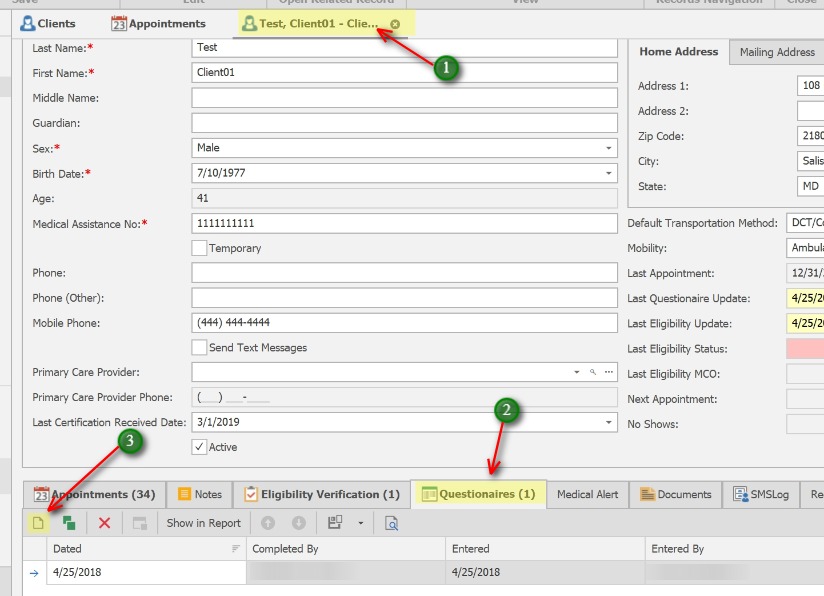
1. Open the Client record
2. Click the Questionaires tab
3. Click the New icon to create a new Questionaire
Complete the Questionaire
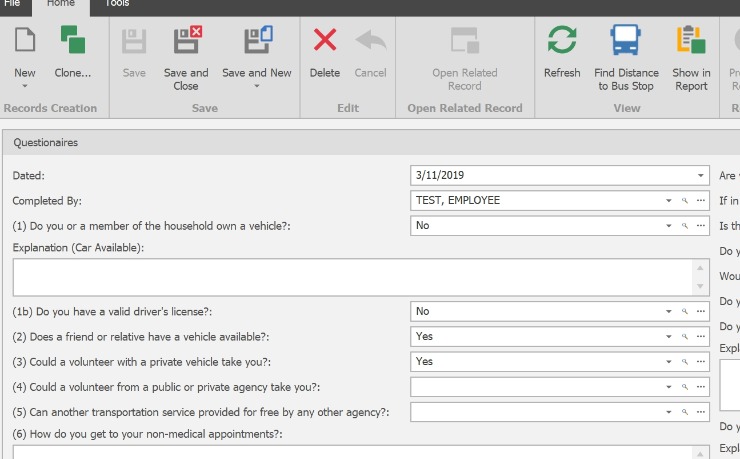
Complete all questions as applicable, Click Save and Close to close the screen.
Save the Client record
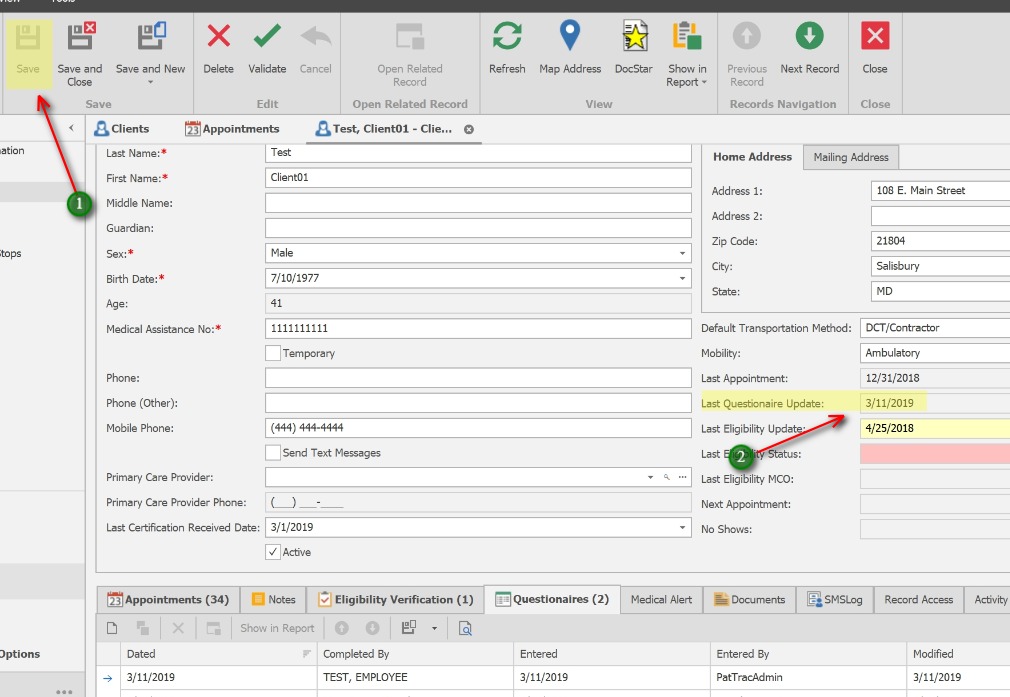
1. After closing the Questionaire screen, Click the Save button to Save the client record.
2. The client’s Last Questionaire Update will populate automatically with the most recent date.