support@pattrac.info
This lesson describes how to add a new Client record in TranTrac.
How to add a new Client record
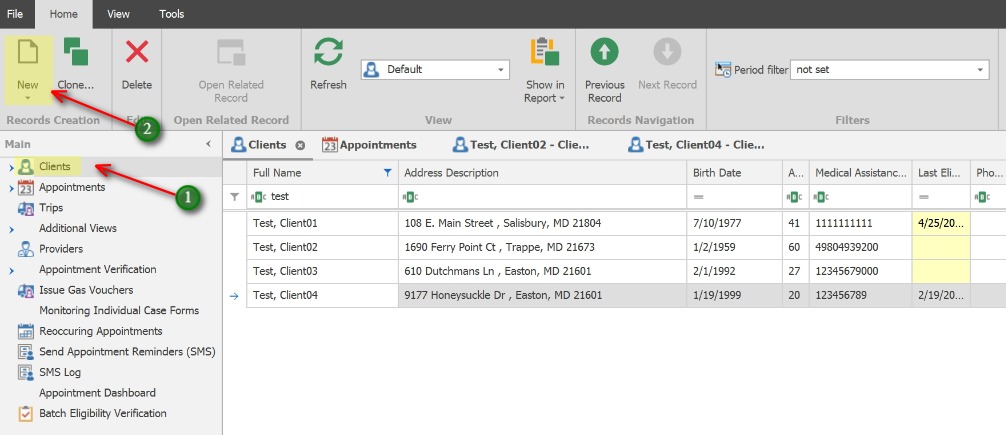
1. Click on Clients in the left Navigation panel to open the Clients view.
2. Click the New icon to add a new Client record.

support@pattrac.info
This lesson describes how to add a new Client record in TranTrac.
1. Click on Clients in the left Navigation panel to open the Clients view.
2. Click the New icon to add a new Client record.