
support@pattrac.info
This lesson describes how to check insurance eligibility for an individual client.
Create the Eligibility Verification record
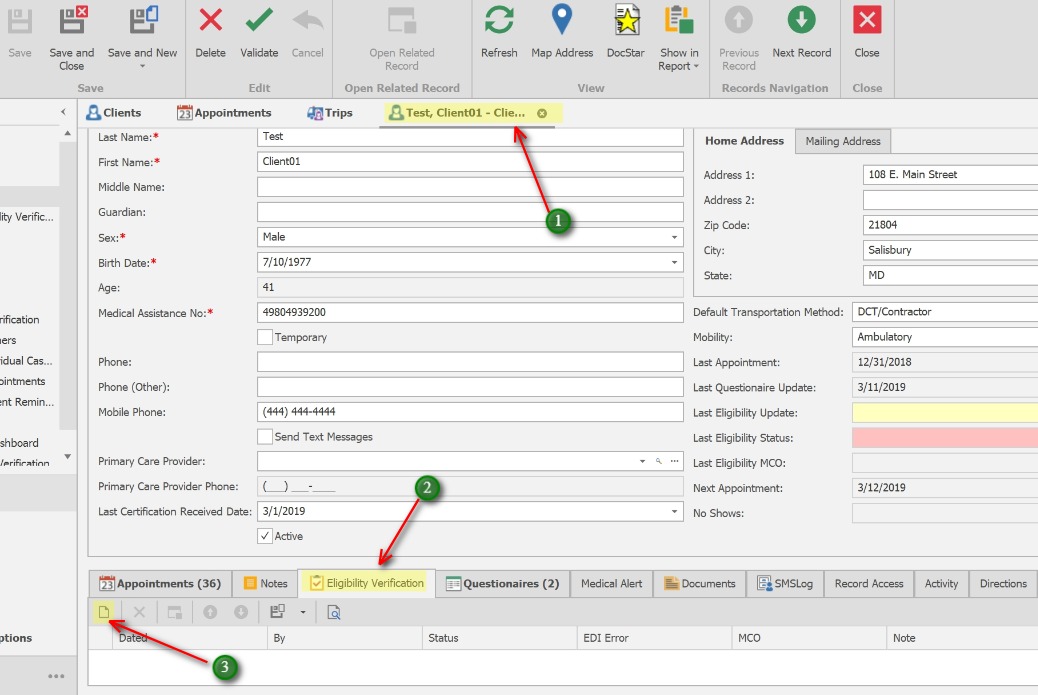
1. Open the Client record
2. Click the Eligibility Verification tab
3. Click the New icon to create a new eligibility record
Check Eligibility
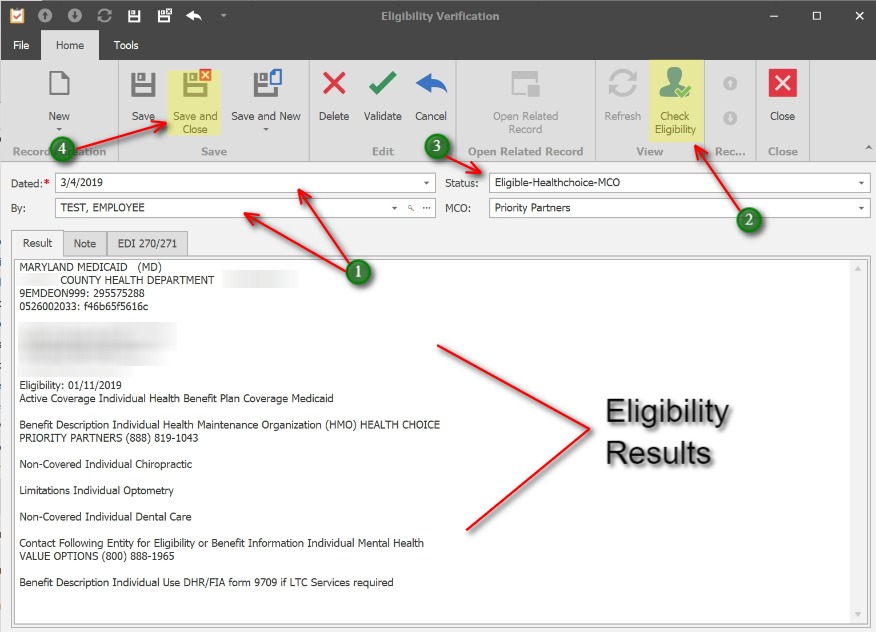
1. Date and By will populate automatically.
2. Click the Check Eligibility button. Eligibility results that are returned will display in the Result tab.
3. Status and MCO will populate automatically for most MCOs.
4. Click Save and Close to exit the Eligibility Verification window.
** Eligibility Results come directly from Maryland Medicaid servers.
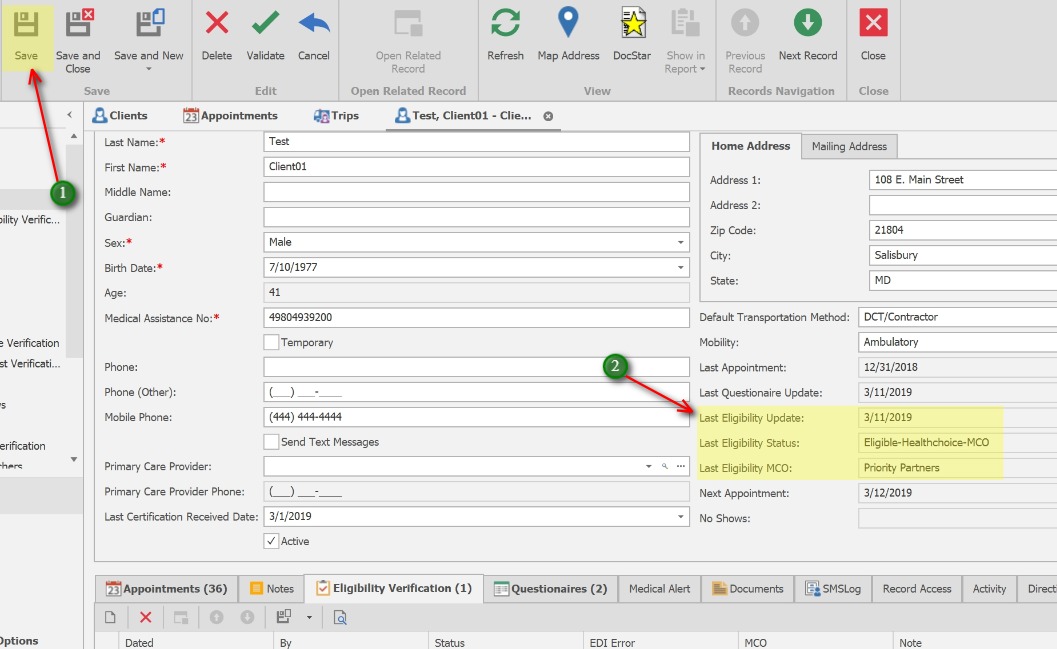
1. Save the Client record.
2. Last Eligibility Update, Last Eligibility Status and Last Eligibility MCO will automatically update with the most recent information.