
support@pattrac.info
This lesson describes how to complete “pre” or “post” appointment verifications. Verifications can be completed on multiple appointments or on an individual appointment.
Verify the Appointments
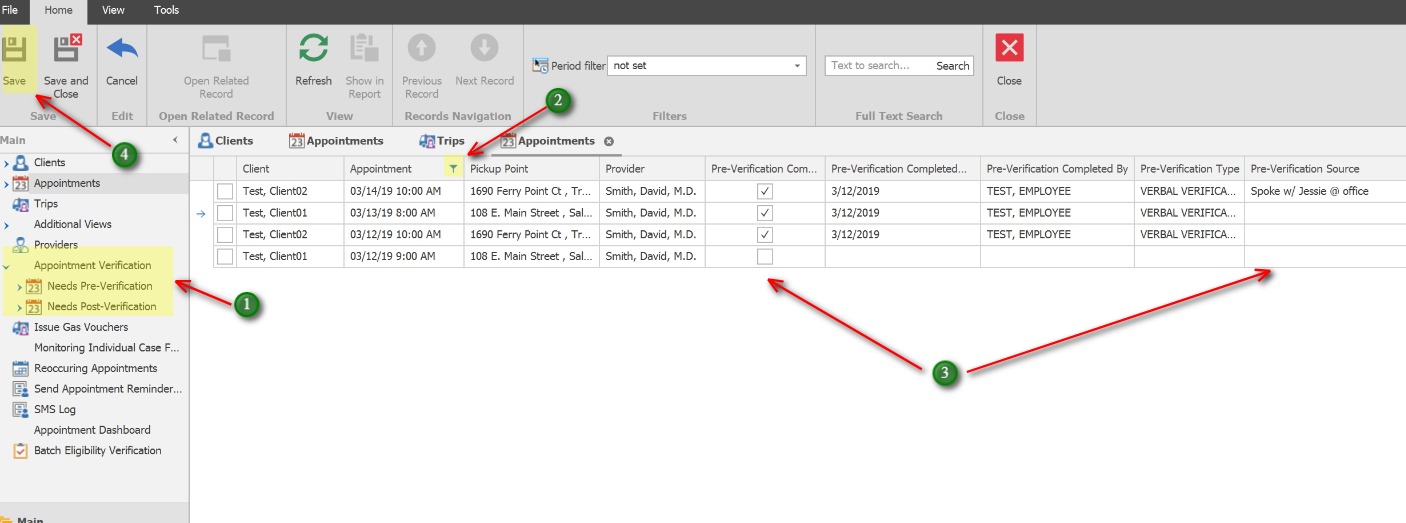
This option describes how to verify multiple appontments for multiple clients.
1. In the left Navigation panel, expand Appointment Verification and click Needs Pre-Verification or Needs Post-Verification.
2. Use the Filter button on the Appointment column to select the range of appointments to update. i.e. Next Week, Last Week, Next Month, etc.
3. Click the check box in the Pre-Verification Completed.
The Pre-Verification Completed Date, Pre-Verification Completed By and Pre-Verification Type will auto-populate. Use the Pre-Verification Source to enter specific Sources.
4. Click the Save button to Save changes to records.
Verify an Individual Appointment
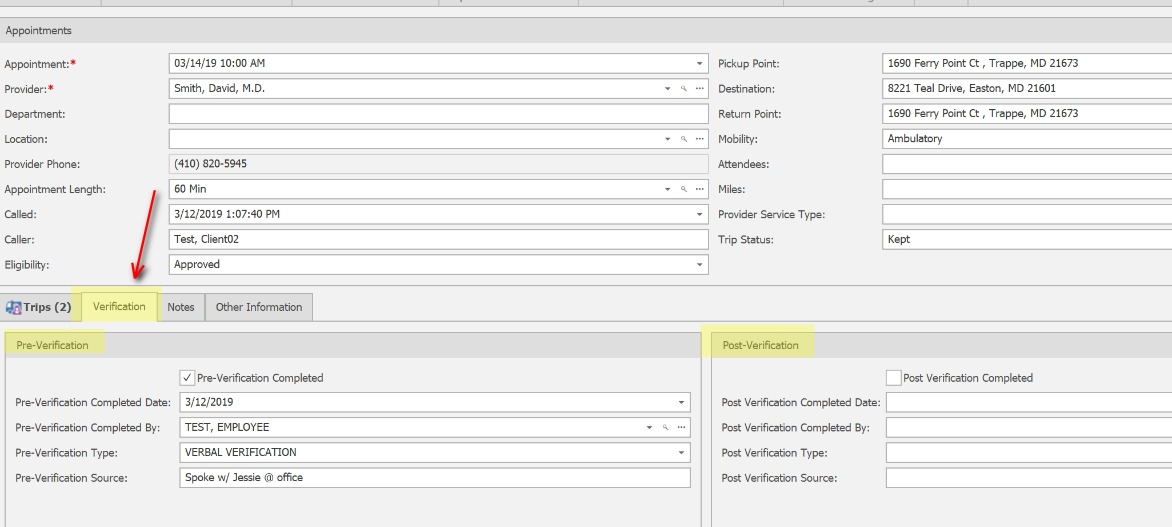
This option describes how to verify a single appointment.
Open the Client’s appointment, use the Verification tab to complete the Pre-Verification or the Post-Verification.