
support@pattrac.info
This lesson describes how to add and maintain the Provider list in TranTrac.
Add a New Provider
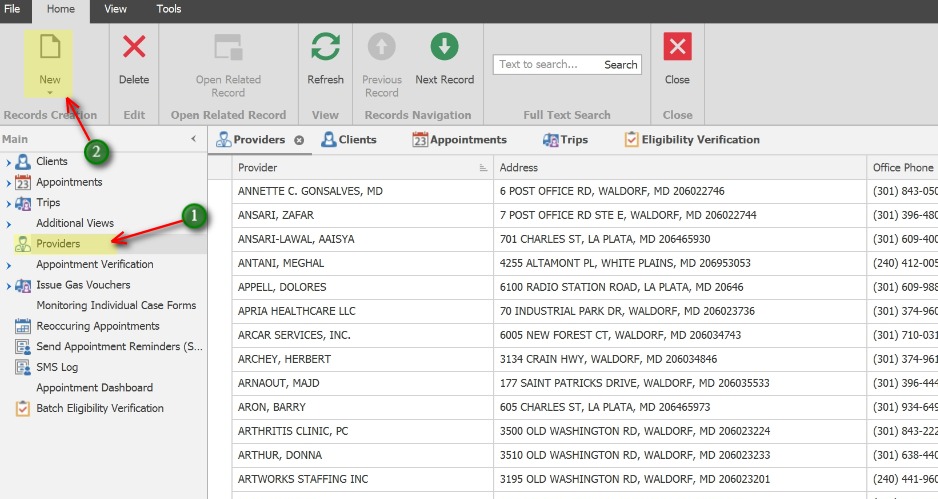
1. In the left Navigation panel, click on Providers to open the Provider tab.
2. Click the New icon to add a new provider.
Edit a Provider record
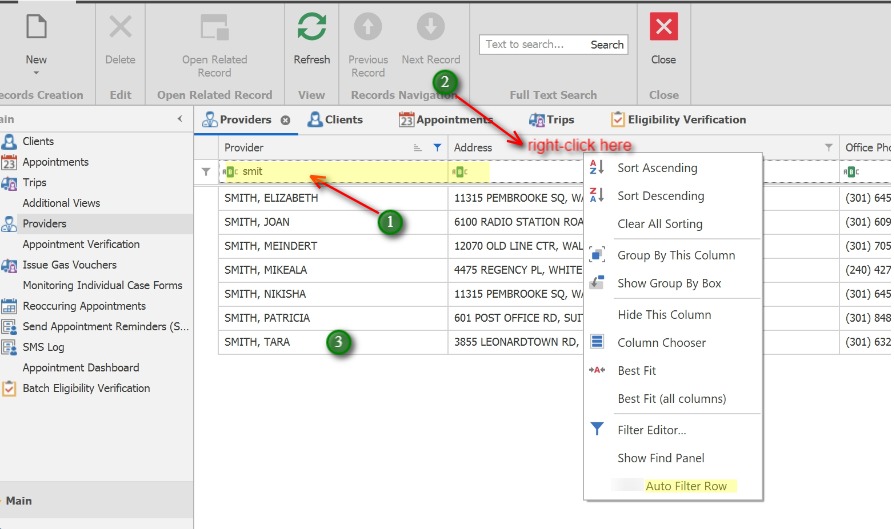
1. Use the Auto-filter row to type the name of the Provider and locate the Provider in the List.
2. ** If the Auto-filter row is turned off, or not visible, you may turn it on by right-clicking anywhere in any column heading and select “Show Auto-filter Row”
3. Once the Provider is found, simply double-click the record to open it.
Edit the Provider
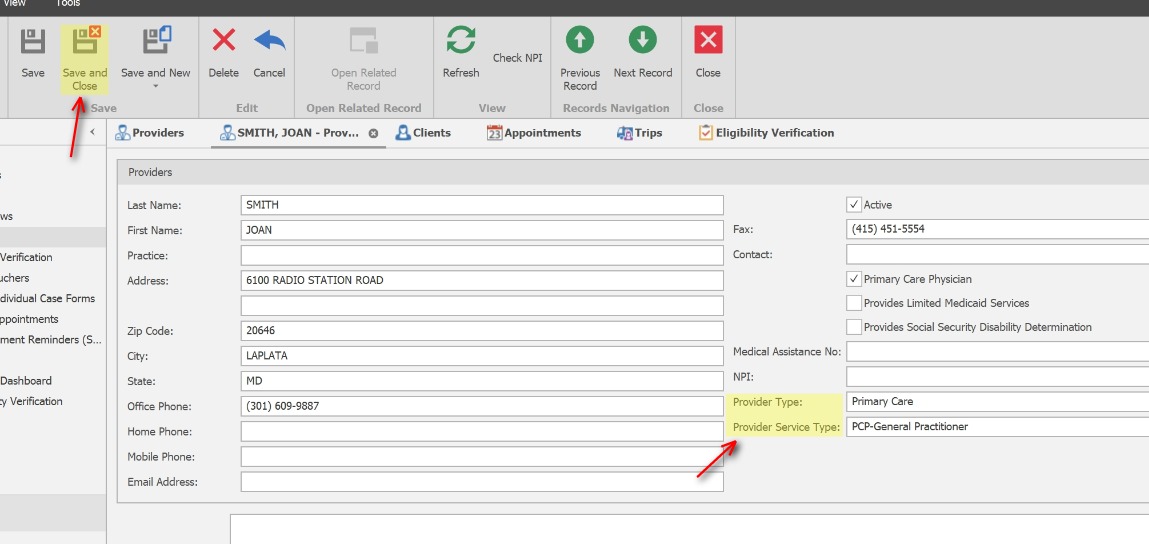
Update the Provide record with as much information as possible. (Provider Type and Provider Service Type are often used for reports required for the state)
Click Save and Close when finished to exit the Provider tab.
Add a Provider while Scheduling an Appointment
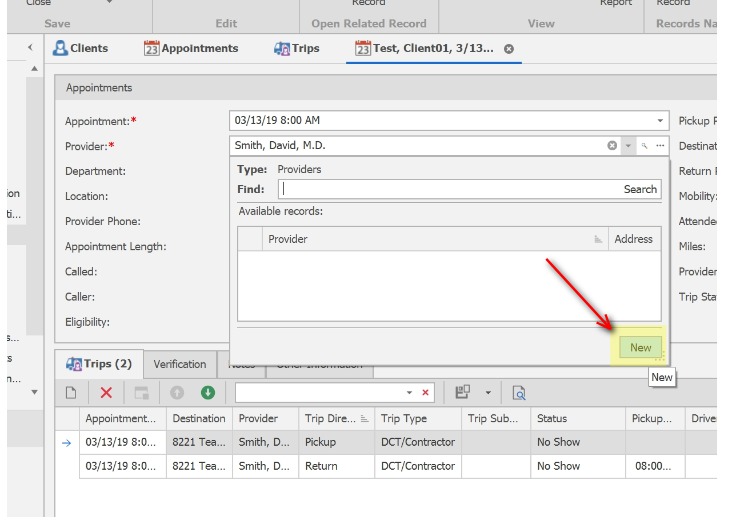
When scheduling a client appointment, if the Provider is new, or is unable to be located, a Provider can be added by clicking the New button in the Provider search button.