
support@pattrac.info
This lesson describes how to check eligibility in batch format for clients with appointments in a date range.
Create the Batch Eligibility record
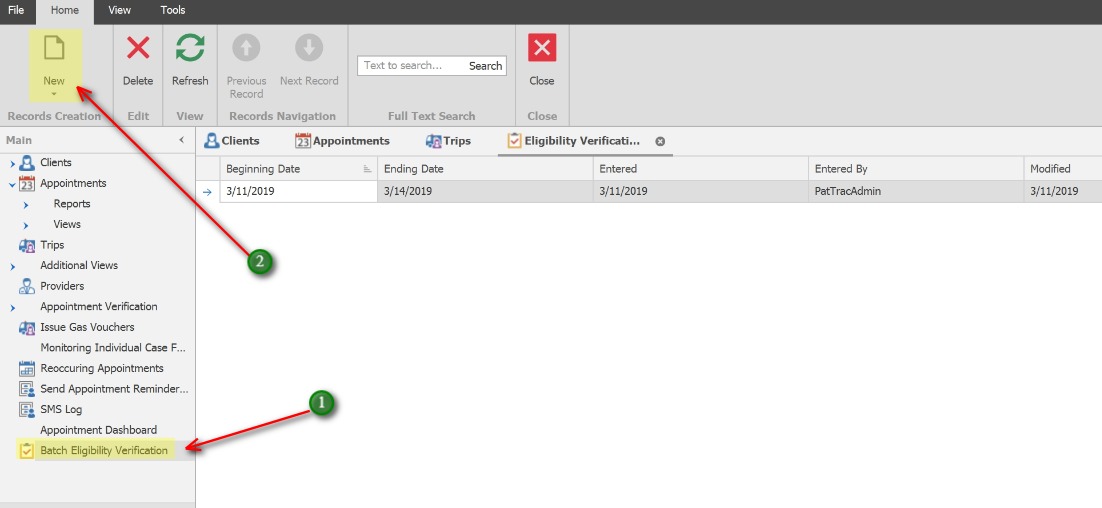
1. In the left Navigation panel, click Batch Eligibility Verification
2. Click the New icon to create a new verification batch record.
Check Eligibility
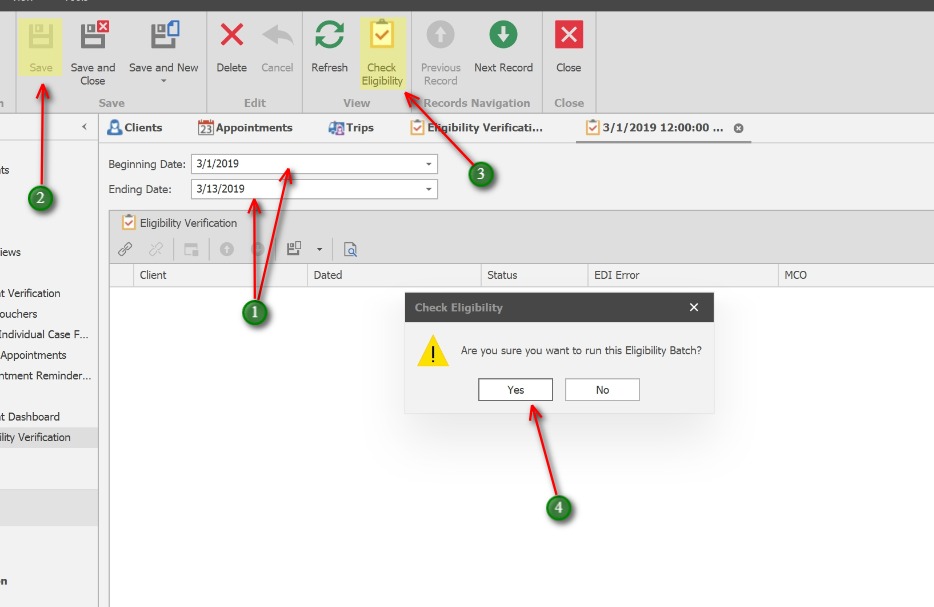
1. Enter the Beginning and Ending Dates. These dates represent the client’s next appointment date range.
2. Click Save
3. Click the Check Eligibility button
4. Click Yes to the prompt.
TranTrac will then check eligibility for any clients with a Next Appointment Date within the date range. This could take up to several minutes depending on the date range and the number of appointments.
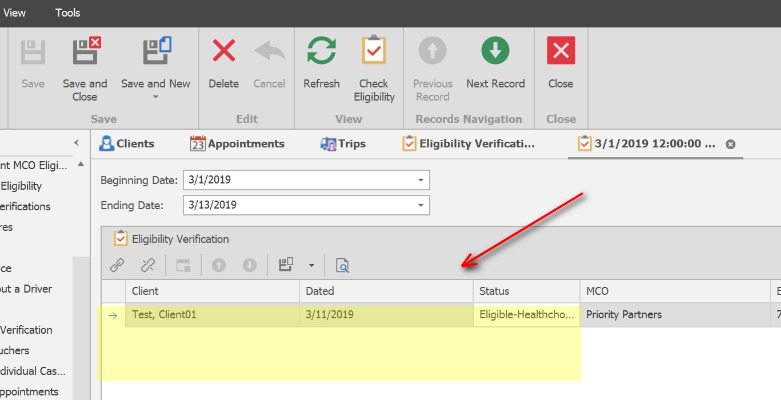
Eligibility records will display for each client with a Next Appointment date within the Beginning and Ending date range.
Click Save and Close to exit the Eligibility record.